Chainlink
Workforce Management
and Asset Care Software

Workforce Management
Software with an Asset Care
Module
Rostering, geofenced attendance and timesheets for staff working across client sites, with a full lubrication service platform built on the same foundation.
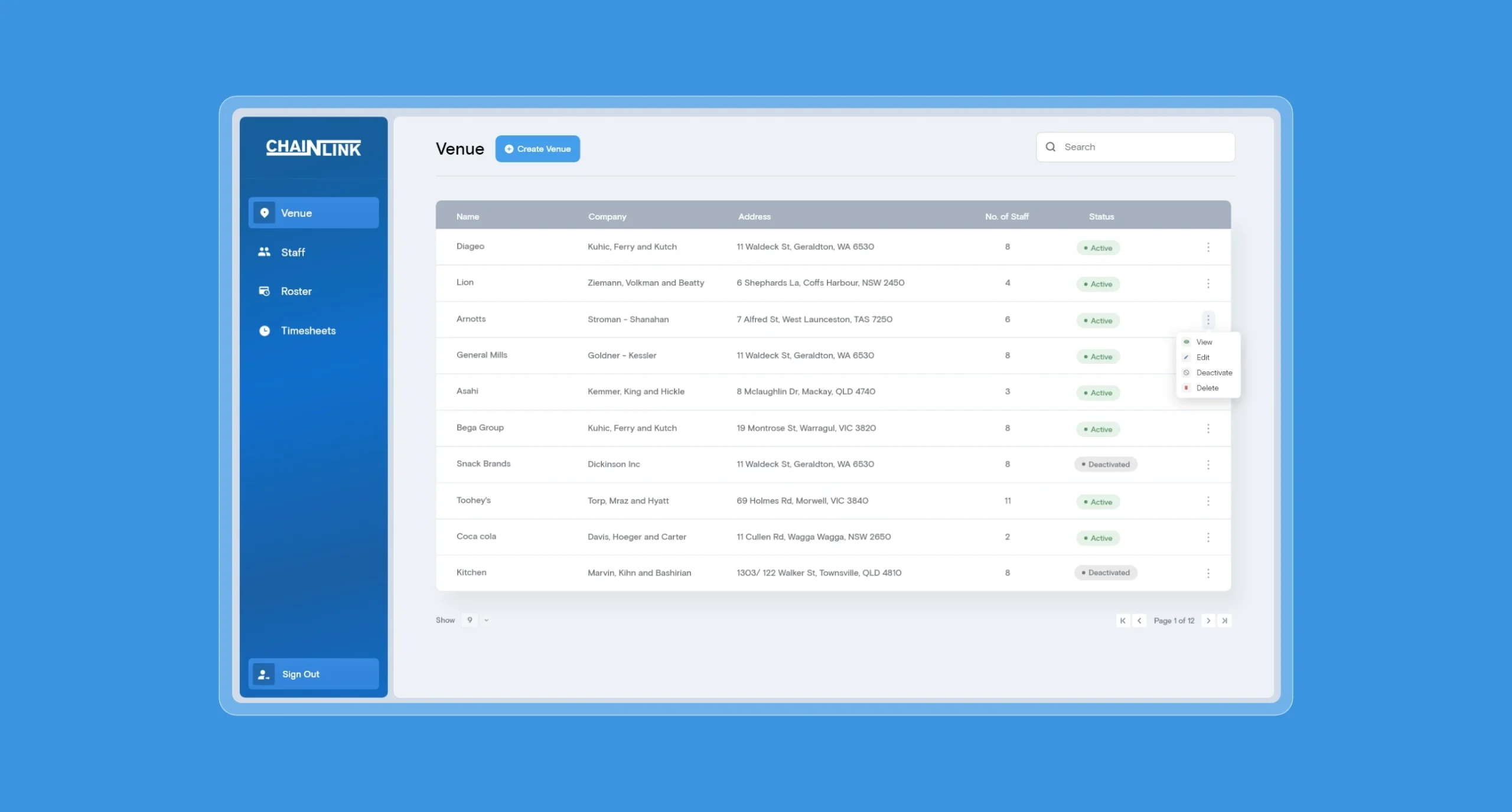
Chainlink operates in the food and manufacturing industry. They required a tailored workforce management tool that managed their venues, employees, timesheets and unavailability. On top of that, they required a very niche asset management module specialised in lubrication. Designpluz built both, as one platform, across multiple phases.
Our Involvement
- Workforce and rostering management
- Geofenced attendance and timesheet
capture - Asset Care delivery and compliance
recording - Multi tenant client portals
Workforce Management Features:
- Venue and staff management, with employees assigned to the sites they work
- Shift creation with two views, a weekly planning view and a monthly roster view
- Planning dashboard for easy shift creation and venue vs. employee visibility
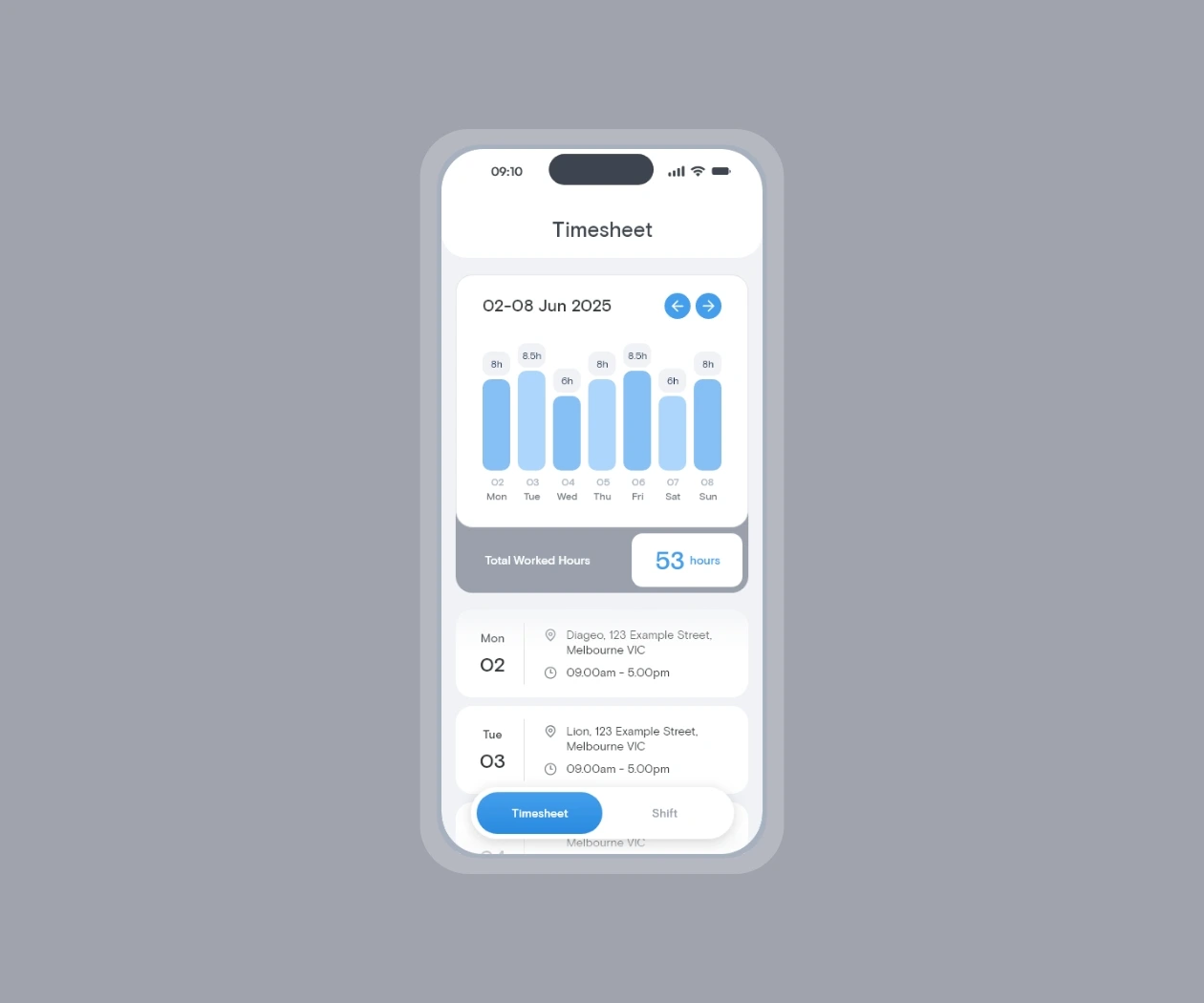
- Employee app where staff see their shifts, start and stop them, and view their own timesheets
- Sign in and out with a location ping verified against a geofence around the venue
- Unavailability submitted by staff from the app and visible to administrators
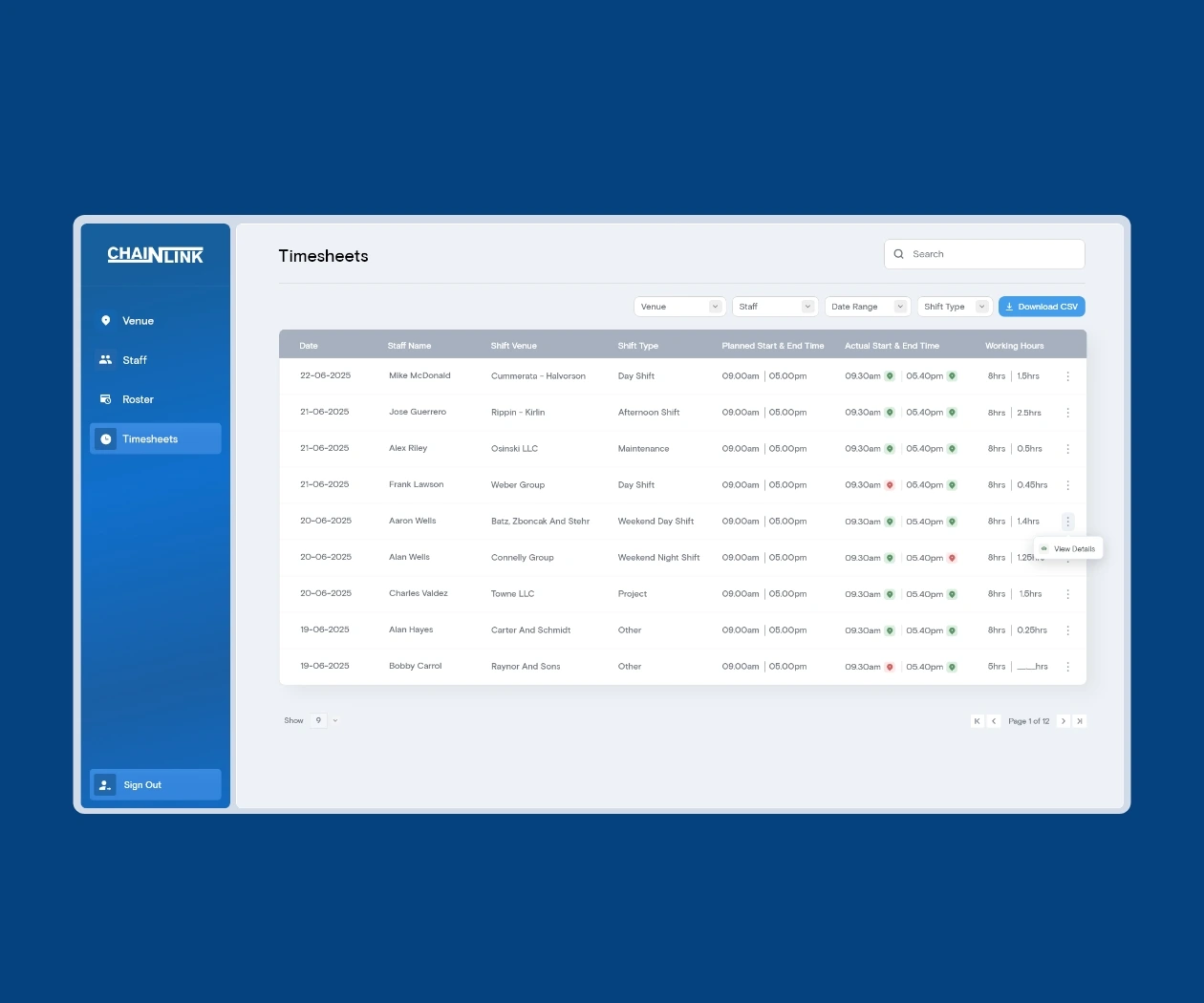
- Timesheets with CSV export for payroll
- Payment status and invoiced flags against shifts
- Notifications and filtering by venue, staff member, shift and status
Lubrication Module Features:
- Technicians build lubrication guides on site from the mobile app, including photographs of each lubrication point
- Permanent QR code generated with every guide, printable and fixed to the machine (if required)
- Tablet application for recording completed work, with per equipment ratings, notes and an on screen signature
- Oil and grease libraries configured per site by grade and identifying colour
- Venue portal on a dedicated subdomain per client site, with its own invited administrators
- Completed reports visible to the site immediately on submission
Project Challenges
The workforce problem came first. When staff work across client sites rather than in one building, the business loses sight of three things at once: whether someone actually turned up, how the hours worked compared to the hours planned and whether those hours have been paid and billed. Most of it gets reconstructed afterwards from memory and paper.
Attendance is handled at the source. Staff start and stop their shift from the app and every sign in records a location ping. The timesheet shows that ping on a map, green where it falls inside the venue geofence and red where it does not. It flags rather than blocks, deliberately. A hard block strands someone with poor GPS or a boundary drawn slightly tight and they still did the work. Marking it instead keeps the record honest and leaves the judgement with a person who knows the site. Actual hours accumulate against planned hours in the same view, timesheets build themselves, and the export to CSV ends the retyping into payroll. Shifts carry payment status and invoiced flags, so the gap between work done and money collected is visible rather than discovered at the end of the month.
Rostering needed two different views because two different questions get asked of it. The weekly planning view is for allocating work, grouped by venue and employee, showing who is on what day and whether it has been paid. The monthly roster view is for coverage across the period. Unavailability comes from the staff themselves through the app rather than through messages that get missed, and surfaces against the calendar when shifts are being created. There is also a dedicated unavailability calendar which switches shifts for unavailability for each employee, facilitating labour planning as required.
The lubrication module is the second half and it has its own constraint: a factory floor does not run on software. Every guide generates a QR code when it is written and that code never changes, so a printed copy can be fixed to the machine permanently. If a single lubrication point fails, the whole report is marked unsatisfactory rather than averaged out, so it lands in front of an administrator. Oils and greases carry an identifying colour that prints on the guide, matched to however the site colour codes its own guns and drums, because the wrong product in a bearing is the expensive failure.
The final phase opened the platform to Chainlink’s clients. Each site operates on its own subdomain with its own invited administrators, seeing only its own staff, guides and reports.
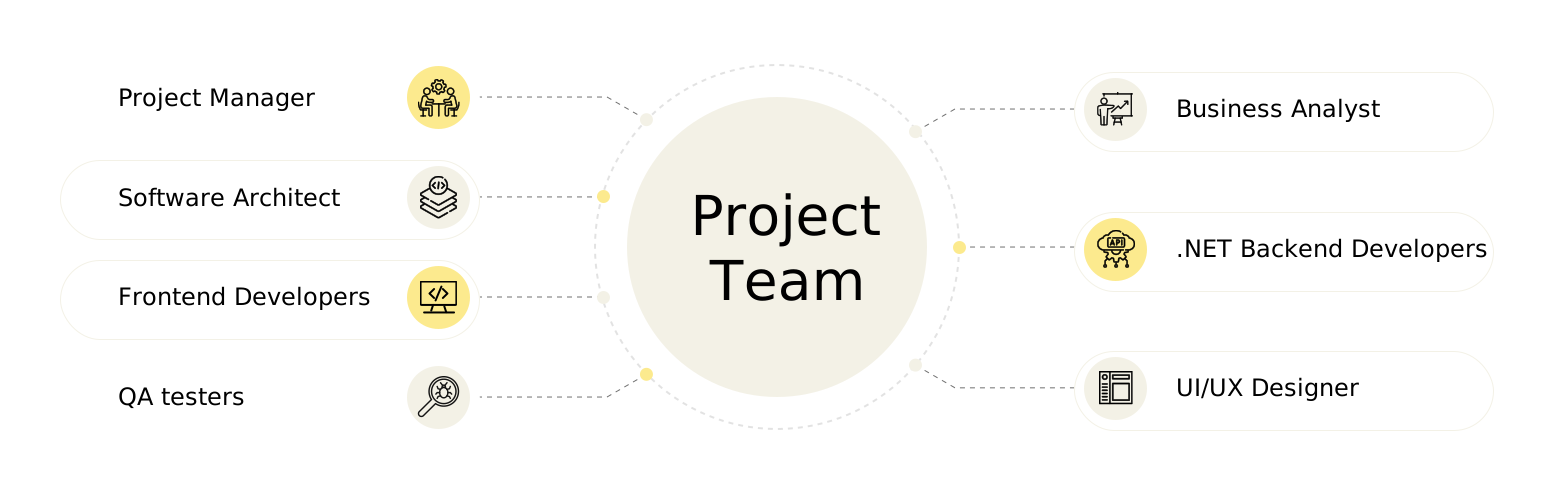
Project Team
The Result
Chainlink is live and in use. The business plans shifts across sites, sees planned against actual hours as the week runs, and exports timesheets straight to payroll. Staff manage their own shifts and availability from the app rather than through calls and messages. The lubrication module captures work as it happens on the floor, with a name and a signature against every completed job, and each client site has direct evidence that each report is being completed.
New sites can be brought on with their own portal, staff and configuration without platform changes. Designpluz continues to support and extend it.

Technologies Stack
Frontend




Mobile

Backend





Hosting & Tools



Integrations

ClickSend
(SMS Sending)

Brevo
(SMTP Email Service)
Key Project
Considerations

We have enjoyed working with Jag, Shaun, and several of Designpluz’s developers over the past 18 months. The Designpluz team has allowed us to accelerate the time to market for our platform, translating to money in the bank and added scale to our internal development team without the risks, time delays, and costs associated with hiring new staff.
Designpluz’s professionalism in managing our project has also lifted the game for our internal team. Not only have they delivered a great product outcome, but we've also learned a lot about different technologies and effective s/ware PM methodology in the process.
The Designpluz team have been responsive, easy to work with, delivered every sprint on time, and significantly contributed to guiding our application in the right direction. I can't thank the team at Designpluz enough for their contribution to Biode, and I would not hesitate to recommend them to any business looking for a trusted development partner.