BiodeTIME
Taking the biometric terminal off the wall and putting it in people’s pockets.

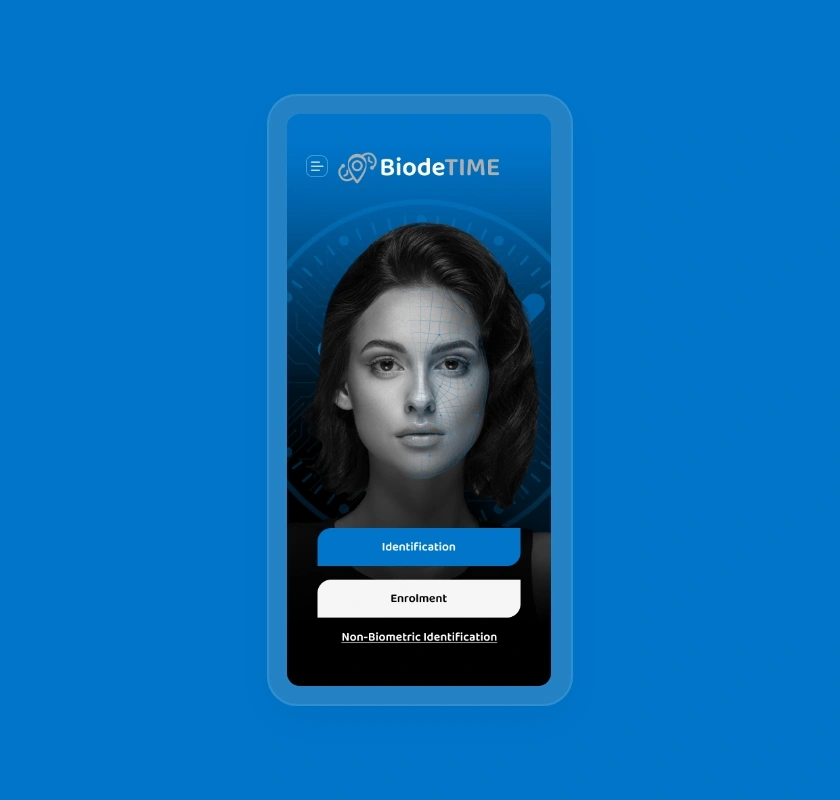
Facial Recognition and Biometric Identification Mobile App
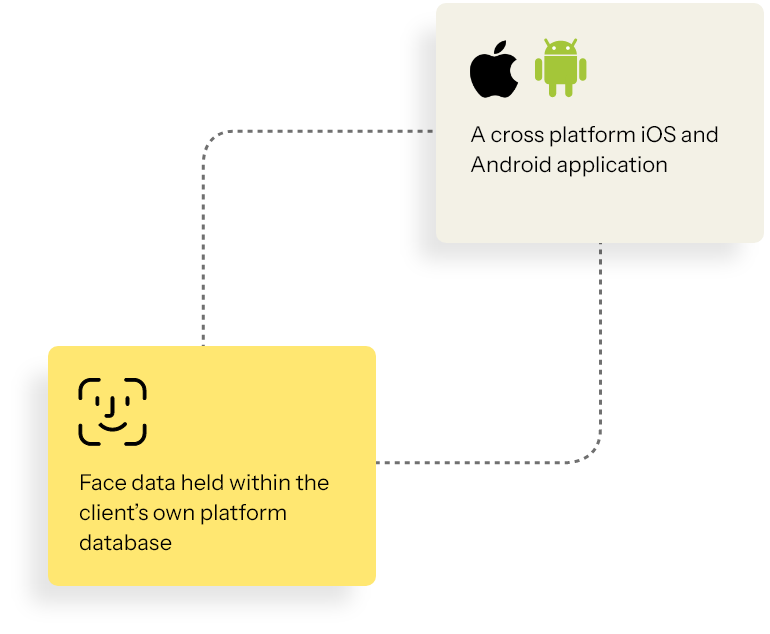
A cross platform iOS and Android application that turns an employee’s own phone into a biometric identification terminal, integrated with the client’s facial matching platform, with every presentation geotagged and photographed, and a non biometric path for the people who need one.
Biometric time and attendance has always been a hardware proposition. A terminal goes on the wall beside a door, people present their face or finger to it, and the business pays for a device at every point it wants to control. That model works and it priced a lot of sites out. Our client, an Australian biometrics company, needed a version of its platform that could run without the terminal, using the device every worker already carries. Designpluz built the mobile application, the enrolment and identification flows, and the admin portal changes behind them.
Focus Area:
- Biometric identification and facial recognition
- Cross platform mobile application development
- Time and attendance and access control
- Biometric data privacy and app store compliance
Our Involvement
- Business analysis and requirements specification
- Software architecture
- UI and UX design for mobile and portal
- Cross platform iOS and Android application development
- Integration with the client’s facial matching platform
- Registration, enrolment and identification flow engineering
- Geotagging and access log development
- Non biometric PIN identification with brute force protection
- Admin portal development
- Apple and Google app store submission, including biometric privacy review
- Software testing and QA
Platform features
- Single use registration code issued by an administrator and delivered by SMS or email
- Face enrolment with a live camera overlay, real time placement guidance and retry on failure
- Facial identification required fresh for every action the user takes
- Start, stop, pause and resume shift actions rendered from the platform rather than built into the app
- Geotagging of every presentation, successful or not, with latitude, longitude and accuracy
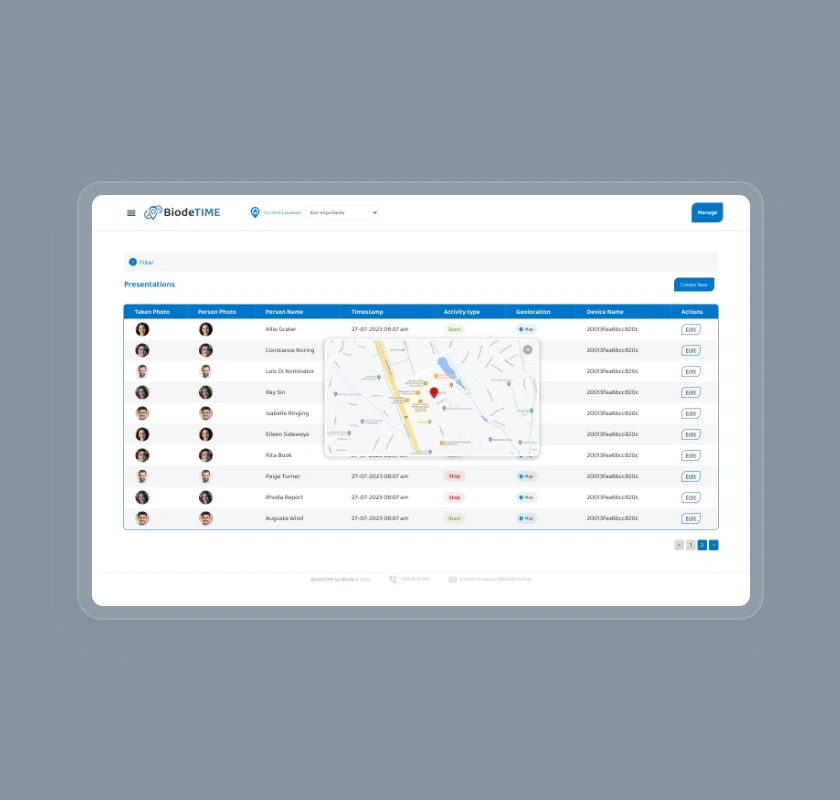
- Map view of any presentation from the administrator’s access log
- Identification photograph captured and stored against every presentation
- Non biometric identification by device ID and PIN for flagged users
- Self enrolment by invitation, cutting per person onboarding time
- One time profile photograph captured during enrolment
- Deregistration on demand or on uninstall
- Matching segregated so a person is only ever compared against others in their own company
- Administrator enrolment from the portal where self enrolment is not suitable
The Challenge
The commercial problem was straightforward. The cost of entry was a device on a wall, and for sites with several access points, distributed teams or thin margins, that cost decided the sale before anything else did. The phone in the worker’s pocket is free, already carried, and has a camera and a GPS chip in it.
The technical problem was everything a wall mounted terminal quietly gives you that a phone does not.
A terminal is in a known location. A phone goes home, gets lost, gets sold and gets lent to a colleague. A terminal is one device serving many people under the employer’s control. A phone is one person’s consumer device running whatever else they have installed. Simply porting the same identification flow onto a handset would have produced something that looked equivalent and was materially weaker, and in a product whose entire value is the integrity of the record, weaker is not a trade worth making.
Two further constraints shaped the build. Not everyone can use facial biometrics. Some people physically cannot enrol, and some decline on principle. Any system that treats biometrics as the only way in excludes those people and cannot be deployed across a whole workforce.
Face data is the most tightly governed category of personal information an app can touch. Putting it on a consumer app store is not a matter of shipping a build. Apple treats it as a special category and asks, in writing, exactly what is collected, exactly how each element is used, where it goes, who else sees it and how long it is kept. A wrong or incomplete answer does not get a second look, it gets a rejection.
The Solution
Seven decisions that rebuilt a wall terminal in software
Each one replaces a control the hardware gave for free, without making the app harder for the person standing at the gate.
We separated registration, enrolment and identification
The structural decision that everything else rests on. Most apps collapse these into one sign up. We kept them deliberately apart.
- Registration: Binds the installed app to a person with a single-use code sent by SMS or email.
- Enrolment: Captures the face or sets a PIN, driven by its own separate code.
- Identification: Happens fresh for every single action, not once per session.
A copy downloaded from the store without a code does nothing at all. Uninstalling the app deregisters it, and reinstalling means starting over. Those are the controls the wall-mounted terminal provided, rebuilt in software.
- A handset found on a train is inert.
- Administrators can cut someone off at registration without touching their biometric record.
- No action reaches the platform without a live identification behind it.
Face capture built around feedback, not a shutter button
The difference between a system people accept and one they resent is whether it tells them how to succeed.
Live guidance, as it happens
- Move closer
- Move back
- Find better light
- Try again
There is no button to press. The camera runs live with an overlay showing correct placement, frames are passed to the matching platform, and its guidance is surfaced to the user in real time. Failed attempts offer a retry rather than a dead end, and the camera times out rather than being left running.
It matters because the person using this is standing at a gate at the start of a shift, often outdoors, often in poor light.
Every presentation is a record, including the ones that fail
An attempt that did not match is frequently the one worth looking at. A system that only records successes throws that away.
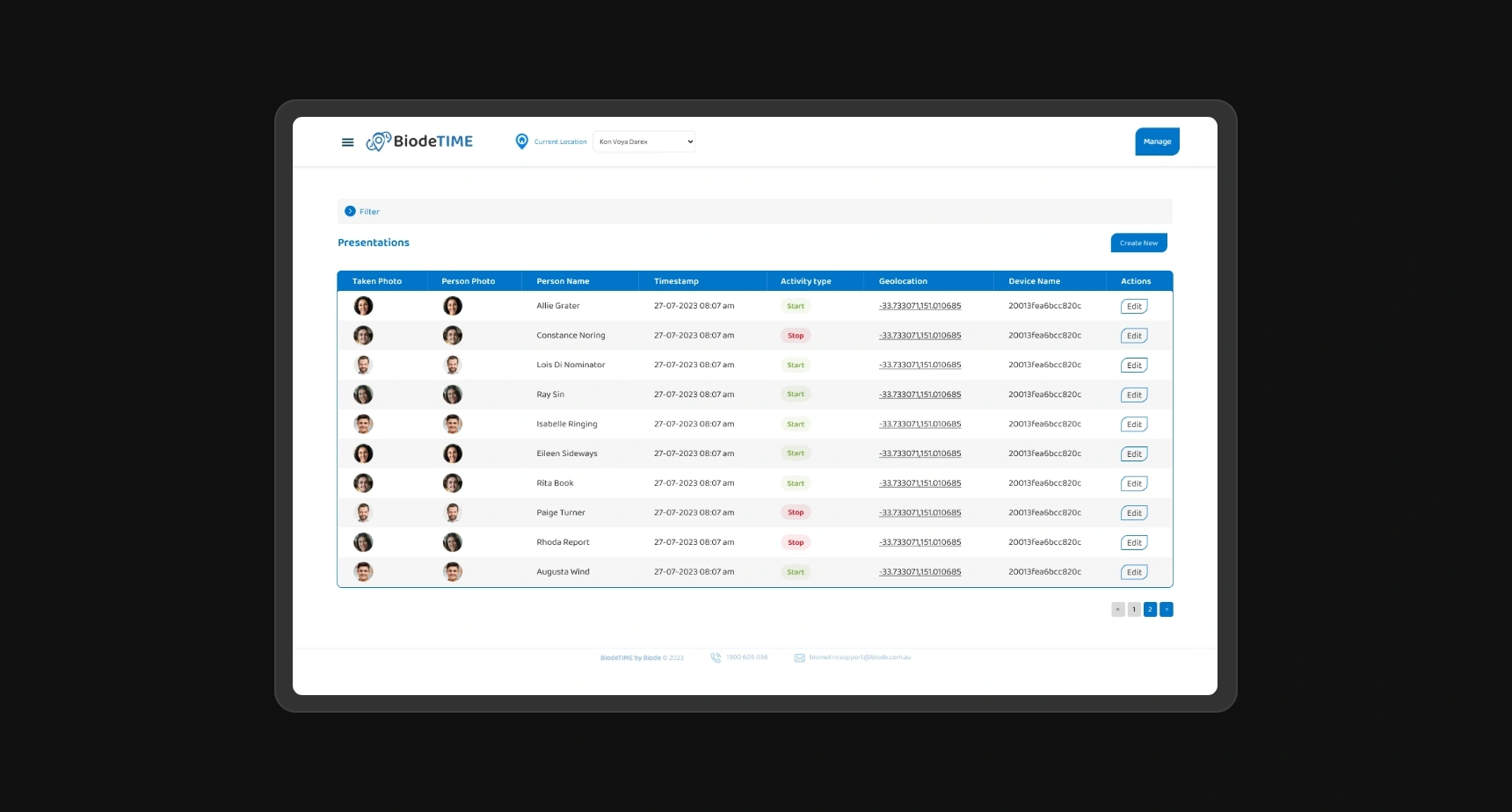
Each access log entry carries
- Photograph: Captured at that moment
- User: Who presented
- Device: Which handset
- Timestamp: When it happened
- Location: With its accuracy reading, viewable on a map
- Outcome: Matched or not matched, logged on the same terms
Administrators open the access log and click through to a map of where any given presentation happened. Where a user declines location access, identification is withheld rather than allowed to proceed without it.
A non-biometric path, designed in rather than bolted on
A deployment requirement, not an accessibility afterthought.
- Face: Live capture matched against the enrolled template.
- Device identifier + PIN: Endpoint protected against brute force, since a numeric credential on a public API is exactly the thing worth attacking.
A workforce platform that cannot onboard the people who will not, or cannot, present a face is a platform that cannot be rolled out.
Actions that change without an app release
The platform decides what the buttons are. The app renders what it is given.
Returned by the platform, not built into the app
- Start shift
- Pause
- Resume
- Stop shift
The platform returns the available actions along with their labels and presentation. The client can change the action set across their whole user base without a store submission and the days of review that come with it.
A native shell, for reasons that turned out to matter
When the location on a shift start may later be disputed, accuracy is not a detail.
- One codebase: Fast release cycles across iOS and Android.
- Better geotagging: Materially more accurate than a browser can achieve.
- Real device services: Not a wrapped website, a line Apple holds firmly.
The application is a cross-platform shell rendering an Angular interface.
Getting a face biometric app through Apple
The part of the project with no shortcut.

What the review required
- What face data is collected: a photo and a derived biometric template
- Never shared with any third party
- Retained until the user record is deleted
- Camera and location purpose strings rewritten, with examples
- What each is used for
- Stored on Australian infrastructure
- Mapped to specific privacy policy clauses
- Declared privacy position reconciled with actual behaviour
One problem was particular to this architecture. An app that only unlocks with an administrator-issued code cannot be assessed by a reviewer who has no administrator, so a dedicated review path was built to let Apple in without weakening the gate for everyone else.
The Result
BiodeTIME shipped to both app stores and removed hardware from the client’s deployment model. A site can run biometric time and attendance on the phones its people already own, which changes who the product can be sold to rather than just how it works.
The controls survived the move. Every action is backed by a live identification, every presentation carries a photograph, a timestamp, a device and a location, and the access log gives an administrator a stronger record than any card swipe produces. Nobody is excluded from the system because of how they feel about biometrics or whether their face enrols cleanly.
The build ran alongside the client’s own development team in a single shared backlog on two week sprints, with stories split between interface and API work and tagged by team. The whole application was delivered in roughly three to four months.
The Brief
Take the terminal off the wall and put it in people’s pockets.
The Work
Giving back everything the terminal quietly did that a phone does not.
Project Team
Technologies Stack
Mobile
Cross platform


Frontend


Backend


Integration



Hosting & Tools


Security, privacy and
data handling
- Face data held within the client’s own platform database and not shared with any third party
- All biometric data stored on Australian infrastructure in a Sydney data centre
- Biometric records retained only until the user record is deleted
- Matching segregated by company, so a person is never compared against users outside their own organisation
- Registration binds an app installation to one person through a single use code, and uninstalling deregisters it
- A fresh identification is required for every action, with no persistent authenticated session
- PIN based identification protected against brute force attack at the endpoint
- Camera and location use declared and explained at the point of permission, with worked examples
- Every presentation logged with its photograph, device, timestamp, location and accuracy, including failed attempts
Key Project
Considerations

We have enjoyed working with Jag, Shaun, and several of Designpluz’s developers over the past 18 months.
The Designpluz team has allowed us to accelerate the time to market for our platform, translating to money in the bank and added scale to our internal development team without the risks, time delays, and costs associated with hiring new staff.
Designpluz’s professionalism in managing our project has also lifted the game for our internal team. Not only have they delivered a great product outcome, but we've also learned a lot about different technologies and effective s/ware PM methodology in the process.
The Designpluz team have been responsive, easy to work with, delivered every sprint on time, and significantly contributed to guiding our application in the right direction. I can't thank the team at Designpluz enough for their contribution to Biode, and I would not hesitate to recommend them to any business looking for a trusted development partner.